SLA Policies
The SLA (Service Level Agreement) module defines performance standards and response timeframes for work orders across your facility management operations.
Navigation: Sidebar → Performance → SLA Policies
Overview
SLA Policies establish the contractual expectations for service delivery, ensuring accountability between facility management teams, customers, and subcontractors. Each SLA defines specific response and resolution times based on priority levels and service categories.
SLA List View
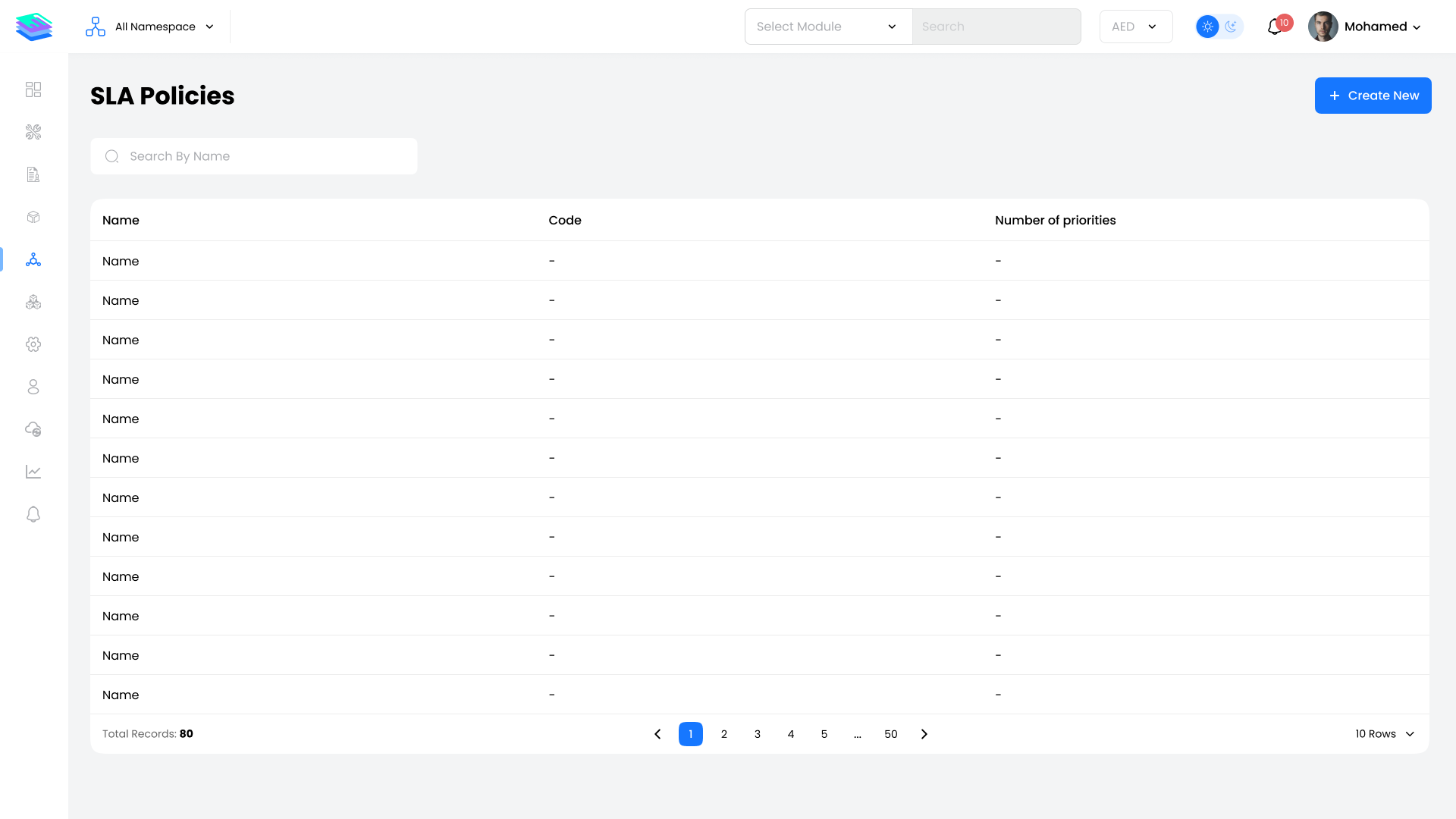
The SLA list page displays all configured SLA policies in a table format:
| Column | Description |
|---|---|
| SLA Name | The name identifier for the SLA policy |
| SLA Code | Unique reference code for the SLA |
| Number of Priorities | Count of priority levels configured within the SLA |
Available Actions:
- Search — Filter SLAs by name or code
- Create New SLA — Add a new SLA policy
- View Profile — Click on any SLA name to view its full configuration
SLA Profile
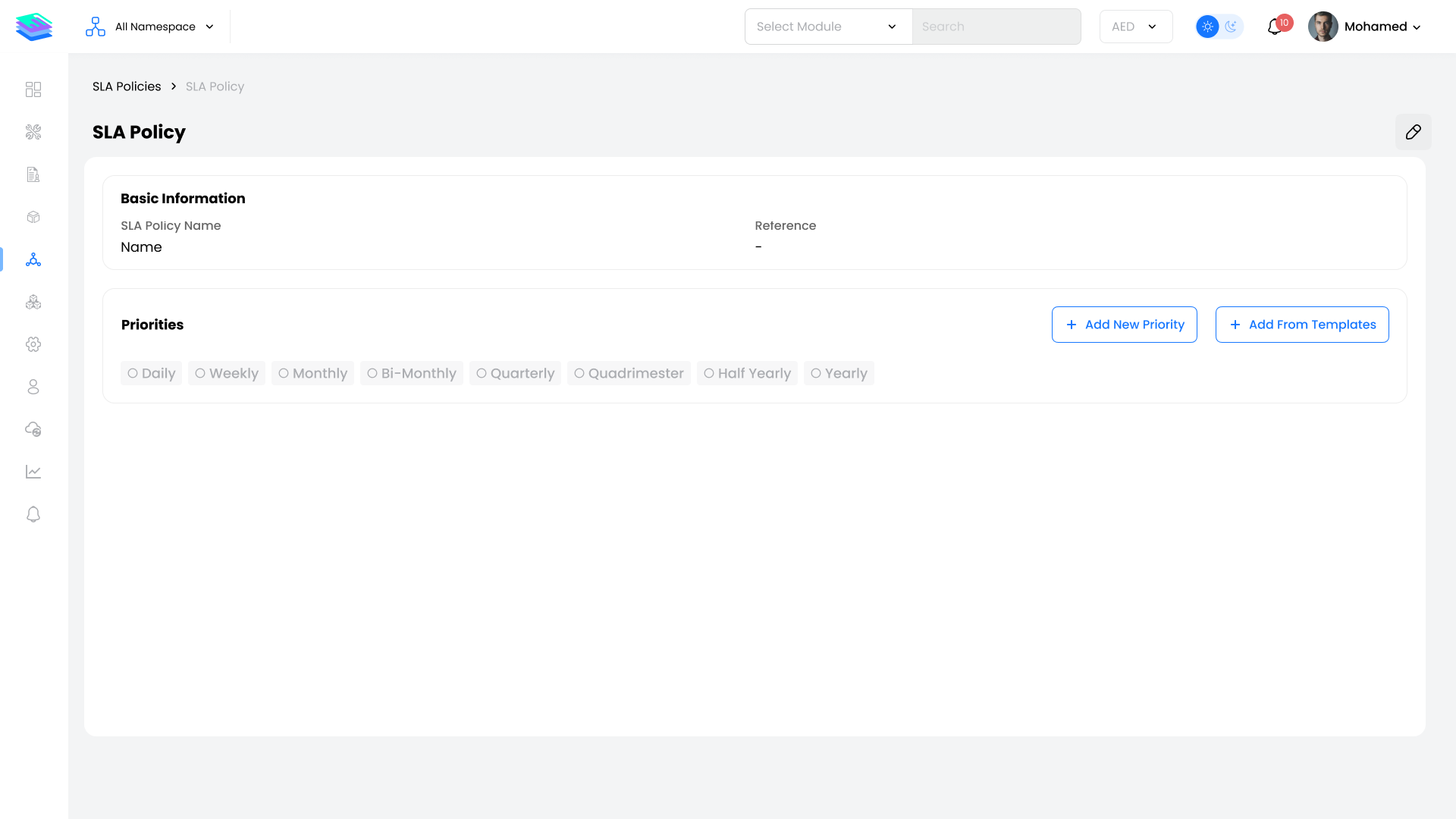
Access an SLA profile by clicking on any SLA name in the list. The profile page contains:
Basic Information
| Field | Description |
|---|---|
| SLA Name | Display name of the SLA policy |
| Reference Number | Unique identifier for system reference |
Priority Configuration
Priorities are organized by repetition intervals in a tabbed interface:
| Interval | Description |
|---|---|
| Daily | SLA targets for daily service cycles |
| Weekly | SLA targets for weekly service cycles |
| Monthly | SLA targets for monthly service cycles |
| Bi-Monthly | SLA targets for bi-monthly cycles |
| Quarterly | SLA targets for quarterly cycles |
| Quadrimester | SLA targets for 4-month cycles |
| Half-Yearly | SLA targets for 6-month cycles |
| Yearly | SLA targets for annual cycles |
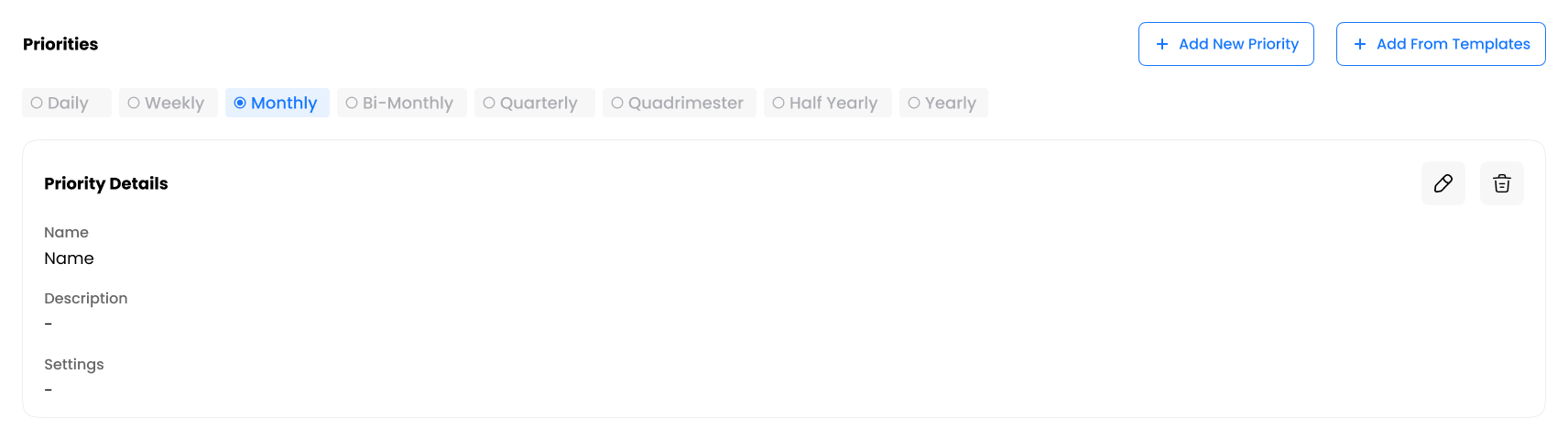
Each priority level includes:
- Name — Priority identifier (e.g., Critical, High, Medium, Low)
- Description — Detailed description of the priority level
- Settings — Response time configurations
Priority Types
When configuring SLA priorities, the following response time categories are available:
| Priority Type | Description |
|---|---|
| Helpdesk Response | Time from work order creation to technician assignment |
| Technician Initial Response | Time from assignment to technician accept/reject |
| Travel Time | Time for technician to reach the service location |
| Technician Response | Time from acceptance to work commencement |
| Temporary Restoration | Time until temporary fix is complete |
| Response | Total time from assignment to work start (includes travel) |
| Restoration | Actual work duration excluding hold time |
| On Hold | Time the work order is paused |
| Resolution | Total work duration including hold time |
| Duration | Entire lifespan of the work order |
Quick Actions
From the SLA profile, you can:
- Add New Priority — Create a custom priority level with specific response times
- Add from Template — Use a predefined template to quickly configure priorities
- Edit Priority — Modify existing priority configurations
- Delete Priority — Remove a priority level from the SLA
Key Notes
- SLA policies should be created before contracts to enable SLA assignment
- Multiple priority levels can be configured per repetition interval
- Use templates to standardize SLA configurations across your organization
- Response times are measured in hours or minutes depending on configuration
- SLA compliance is tracked automatically when work orders are processed